YOUR PROGRESS
See where your earnings stand.
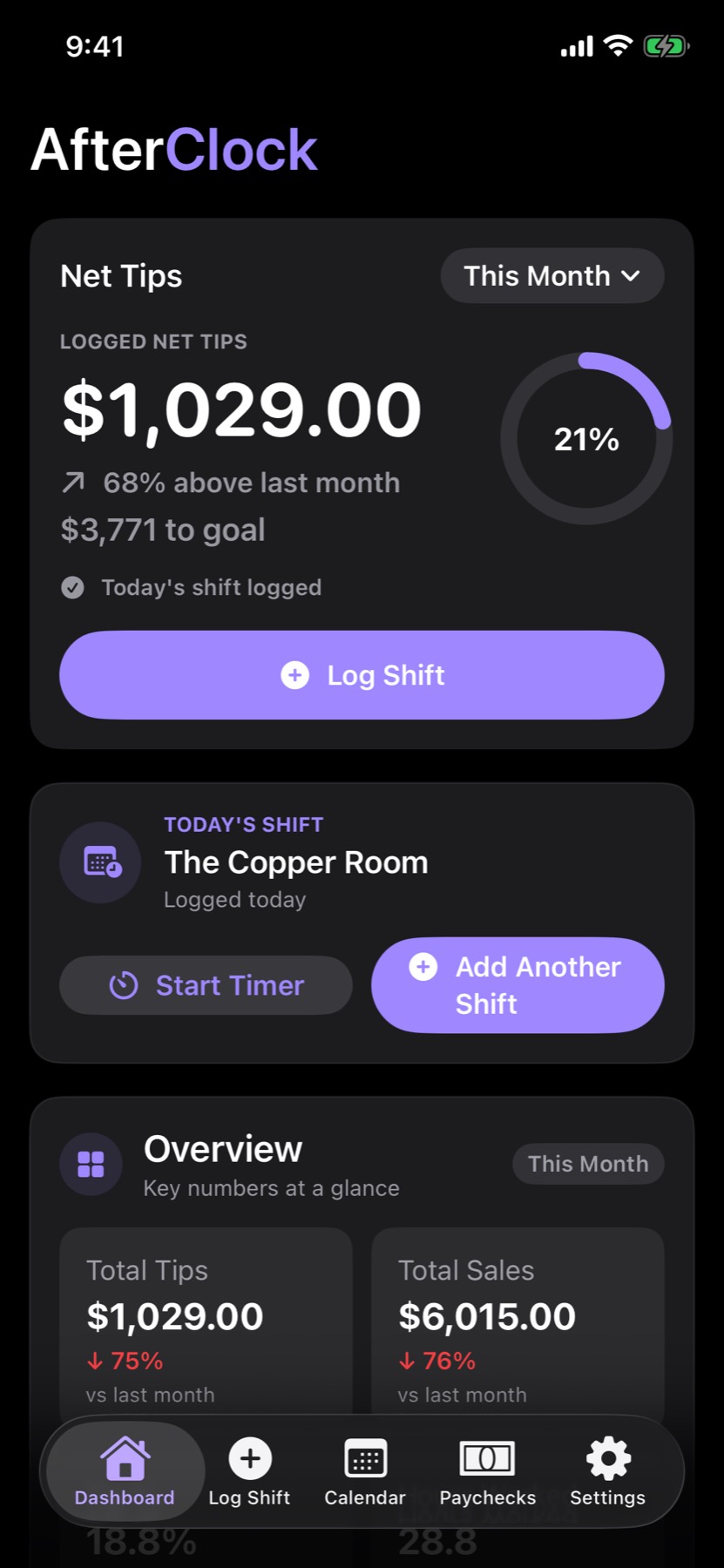
Track net tips, progress toward your goals, and anything that needs attention—all in one clear view.
Track tips, wages, hours, and paychecks across every workplace—then see which shifts actually paid off.
Not just a tip counter.
Explore real AfterClock screens with sample data. Follow your progress, compare shifts, and connect each paycheck to the work behind it.
Swipe to explore or choose a screen below
Track net tips, progress toward your goals, and anything that needs attention—all in one clear view.
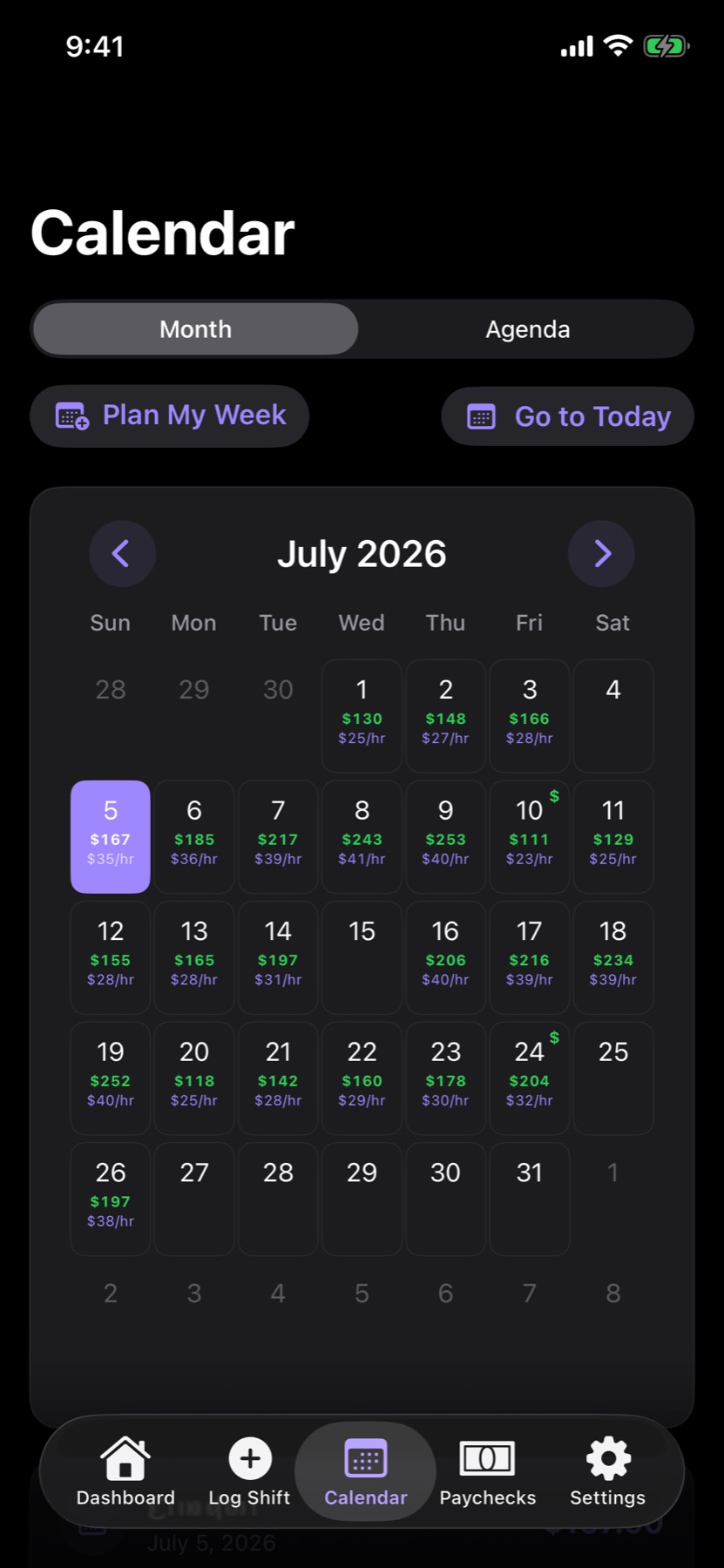
Compare net tips and hourly earnings day by day, so your strongest shifts stand out.
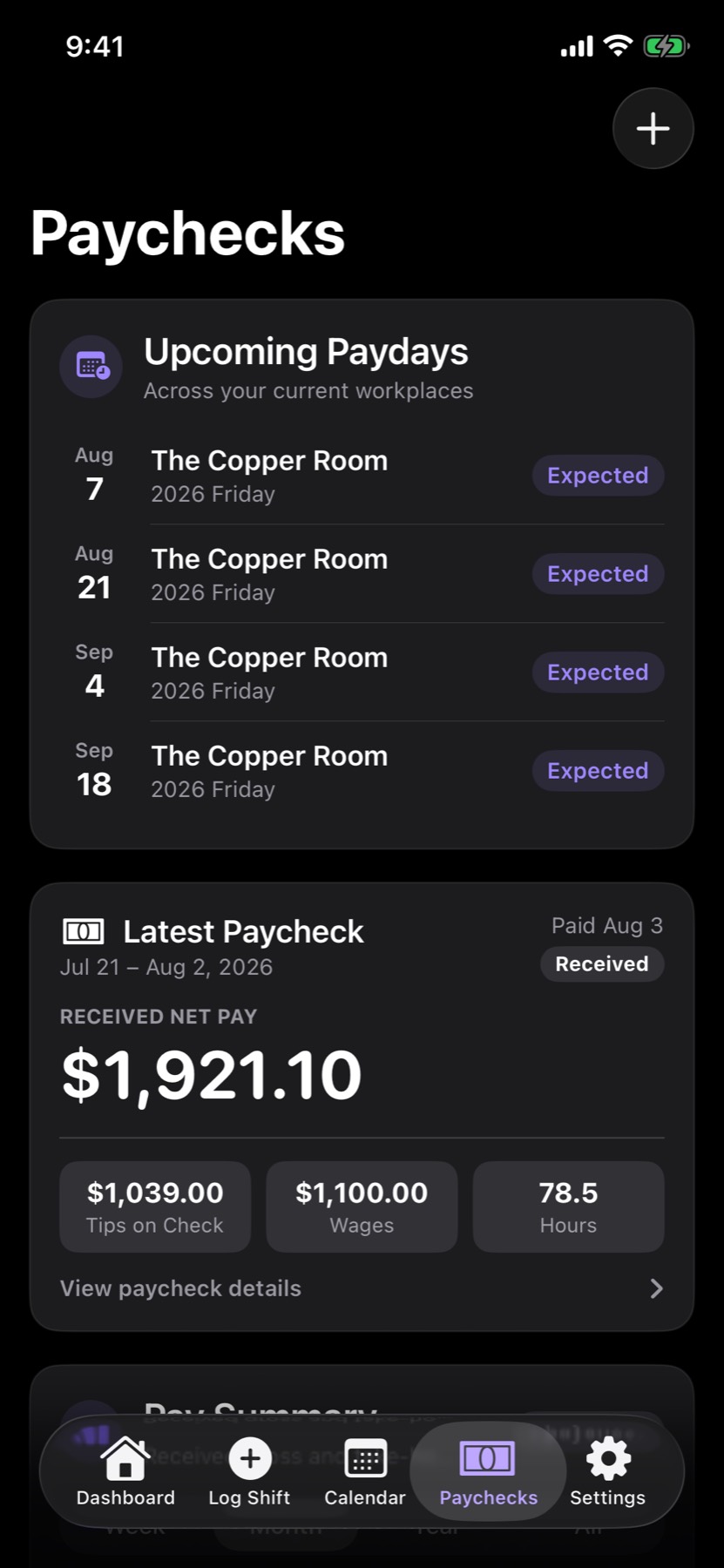
Match each paycheck to the shifts, hours, wages, and tips behind it—then catch anything that doesn’t add up.
Showing screenshot 1 of 3: Dashboard
Screens shown with sample data.
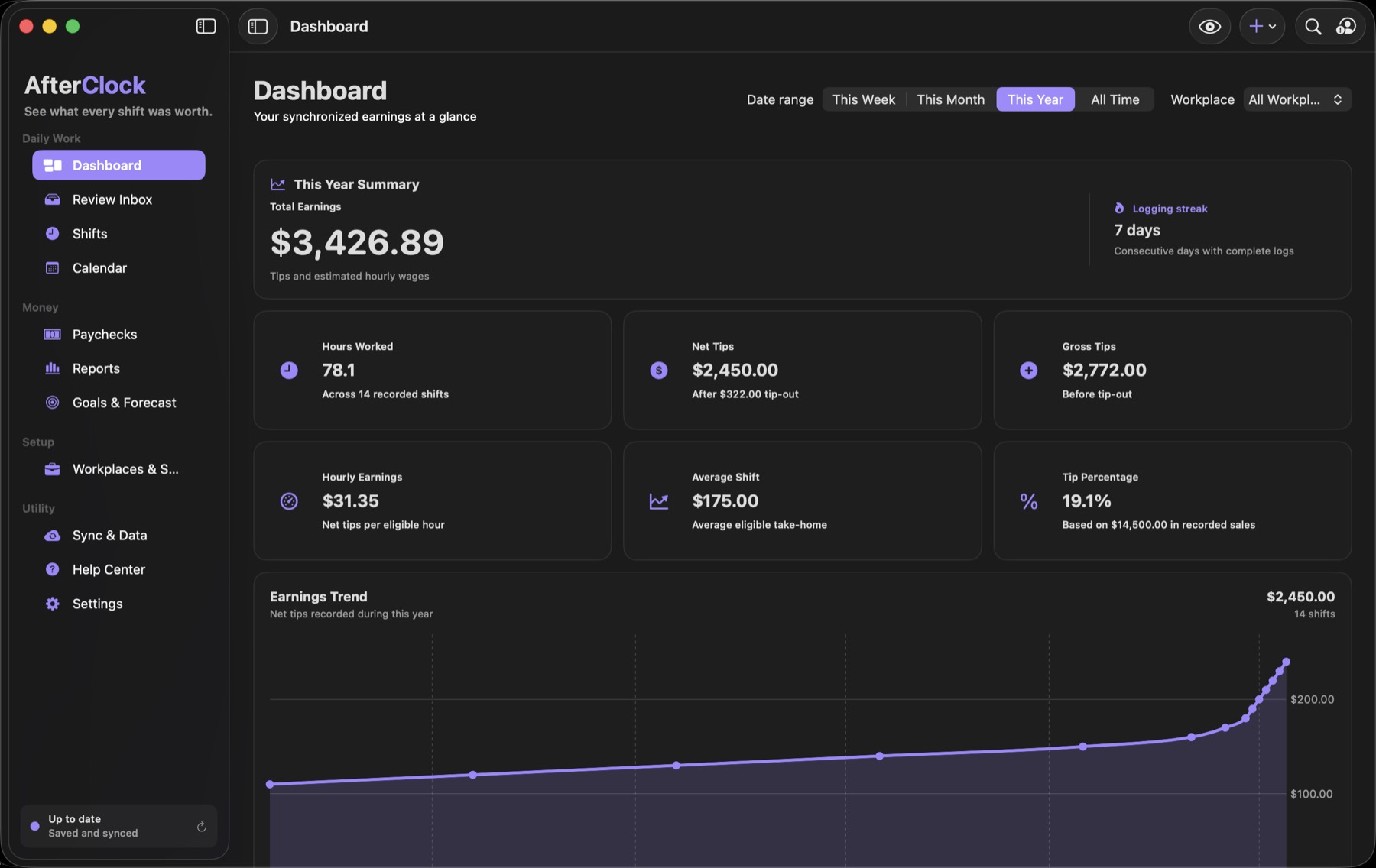
Start on iPhone. With Pro, review your records on Mac and keep supported devices connected through private iCloud sync.
Review shifts, paychecks, schedules, reports, goals, and sync activity with more room to dig in.
Tips are only part of the shift. AfterClock keeps the hours, wages, sales, tip-outs, and notes with them.
From tipped shifts and training to meetings and days off, keep the hours, wages, tips, sales, breaks, and notes together.
Start a shift timer and let Live Activity and reminders keep your hours visible while you work.
See schedules, logged shifts, missed entries, paydays, and daily earnings across every workplace.
Know your best days, compare hourly performance, follow goals, and see where your income is heading.
You average $7.40 more per hour on Fridays than your weekly average.
Add schedules, pay periods, tip-out defaults, and goals for each place you work.
Use Quick Log, a Shortcut, a template, or the shift timer. You review every earning before it becomes part of your record.
Follow goals, hourly rates, trends, monthly reviews, and paycheck differences without distorted averages.
AfterClock works offline, syncs through your private iCloud account, and gives you control over protecting, backing up, restoring, and exporting your records.
Free keeps one workplace organized with unlimited shift history. Pro adds automation, deeper analytics, multiple workplaces, and private access across iPhone and Mac.
Everything you need to track unlimited shifts and tips for one workplace.
Automation, detailed analytics, secure sync, and the native Mac companion.
Prices shown are U.S. App Store prices and may vary by country or region. Subscriptions are billed through Apple and renew automatically unless canceled in App Store account settings. See the Terms of Use.
Download AfterClock for iPhone or Mac.


AfterClock is available now. Here’s what to know before you download.
Download AfterClock from the App Store on iPhone or Mac. The same App Store product page works on both devices.
Optional product emails cover meaningful feature updates, platform availability, and other AfterClock news.
AfterClock is available for iPhone and Mac. An iPad version is in development. Android, Windows, and web versions are not currently planned.
AfterClock works offline and uses your private iCloud account to keep supported devices in sync when a connection is available.
AfterClock Free costs nothing. In the U.S. App Store, AfterClock Pro is $3.99 per month or $24.99 per year. Prices may vary by country or region, and the App Store shows the current localized price before purchase.
Free supports one workplace. Pro supports unlimited workplaces and keeps each schedule, pay period, default, and goal organized while giving you one clear view of your work.
Yes. AfterClock includes verified local backups and controls for restoring records. Pro adds PDF and CSV exports.
Optional, occasional emails about new features and AfterClock news.